Nuke Policy Guide: How to Win, Controls, Build Costs and Strategy
Nuke Policy is a free browser strategy game by Kachki Productions on Poki: you start a nation on a map, flood outward with troops, build an economy, and win by holding 85% of the land before the bots do. We played through the tutorial and the skirmish setup on Poki to write this guide.
Quick facts
| Developer | Kachki Productions |
|---|---|
| Genre | Real-time territory strategy |
| Platforms | Browser — desktop, phone, tablet |
| Win condition | Control 85% of the map |
| Opponents | Bots (Easy, Medium, Hard) |
| Price | Free on Poki |
| Official site | Play free on Poki |
Where to play
Poki does not offer an embed for other websites, so we link to the official Poki page. It runs in any modern browser on desktop, phone or tablet.
What is Nuke Policy?
Nuke Policy is a real-time territory-control strategy game made by Kachki Productions (the studio behind TNT Sandbox) and published on Poki. Its title screen sums up the whole game in one line: spread out, take land, and hold it — the first player to control 85% of the map wins.
You play against computer-controlled nations. Every country's land produces troops over time, and you spend those troops to push your border into empty land or into a rival. Gold builds cities, factories, ports and defenses, and late in a match it pays for missiles and nuclear weapons. Poki lists the game as a November 2026 release in its Strategy category, playable on desktop, phone and tablet, with a user rating of 4.6 from more than 8,000 votes when we checked.
The build we played was labeled v0.9. Its title screen credits the art, fonts and maps to OpenFront and Contributors (AGPL-3.0) — OpenFront is an open-source multiplayer territory game — so if you have played OpenFront or Territorial.io, the flood-fill style of expansion will feel familiar. The difference is that Nuke Policy is built around quick matches against bots, with no lobby to wait for.
How to start: the 4-step tutorial
The first time you press Play, the game asks whether you want the quick tutorial ("New here, commander?"). It is short and worth doing once. These are the four steps exactly as the game presents them:
- Found your nation. Click a green spot on the map to place your starting country. The match begins once every player has chosen.
- Expand. Click land bordering you — empty or enemy — to send troops and capture it. Drag the Attack Size slider to commit more of your army (it starts at 35%).
- Build a city. Pick CITY from the bottom bar, then click your own land. Cities raise your troop cap so your army can grow larger.
- Win the map. Keep attacking until you control 85% of the land.
After the tutorial, the main menu lets you type a name, choose a flag (or draw your own with Draw my flag), and start a skirmish with Play vs Bots.
Controls
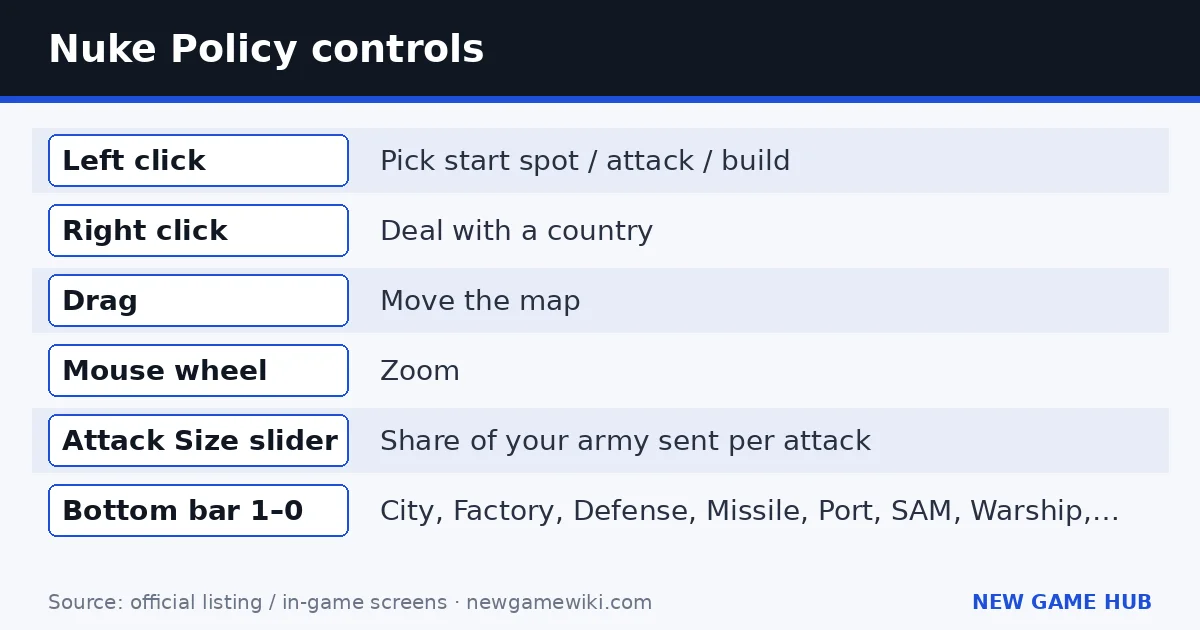
The controls are printed on the title screen. Everything else happens through the on-screen panels.
| Input | What it does |
|---|---|
| Left click | Pick your start spot, attack a bordering territory, or place a building |
| Right click | Open a deal with another country (diplomacy) |
| Drag | Move the map |
| Mouse wheel | Zoom in and out |
| Attack Size slider | Choose what share of your troops each attack uses |
| Bottom build bar (slots numbered 1–0) | City, Factory, Defense, Missile, Port, SAM, Warship, Nuke, H-Bomb, MIRV |
On a phone or tablet, Poki's listing simply says tap to interact: tap to attack or build, and use touch gestures to move around the map.
The HUD in the top-left shows four numbers you will watch all game: Troops (current / cap), Growth (troops per second), Gold, and Land (your share, next to the 85% target). A Rankings panel on the right lists every nation's land share, and a Your attacks panel tracks attacks in progress.
Skirmish settings: difficulty, modes and maps
The Play vs Bots setup screen has more options than the Poki description suggests:
- Difficulty: Easy, Medium, Hard.
- Game mode: FFA (free-for-all), 2 Teams, 4 Teams, 8 Teams.
- Resources: optional toggles for Infinite gold and Infinite troops — handy for experimenting with nukes and warships without grinding the economy.
- Map: Random, World, Africa, Europe, Asia, North America, South America, Australia, Antarctica, Oceania, Britannia, MENA, Pangaea, Four Islands, Indian Subcontinent, and Mars.
For a first real match we suggest Easy, FFA, and a continent map such as Europe or Africa. Smaller maps reach 85% faster and teach you how borders and fronts work. Four Islands and Oceania force you to use ports and warships early, so save them until you are comfortable with the build bar.
Economy and buildings explained
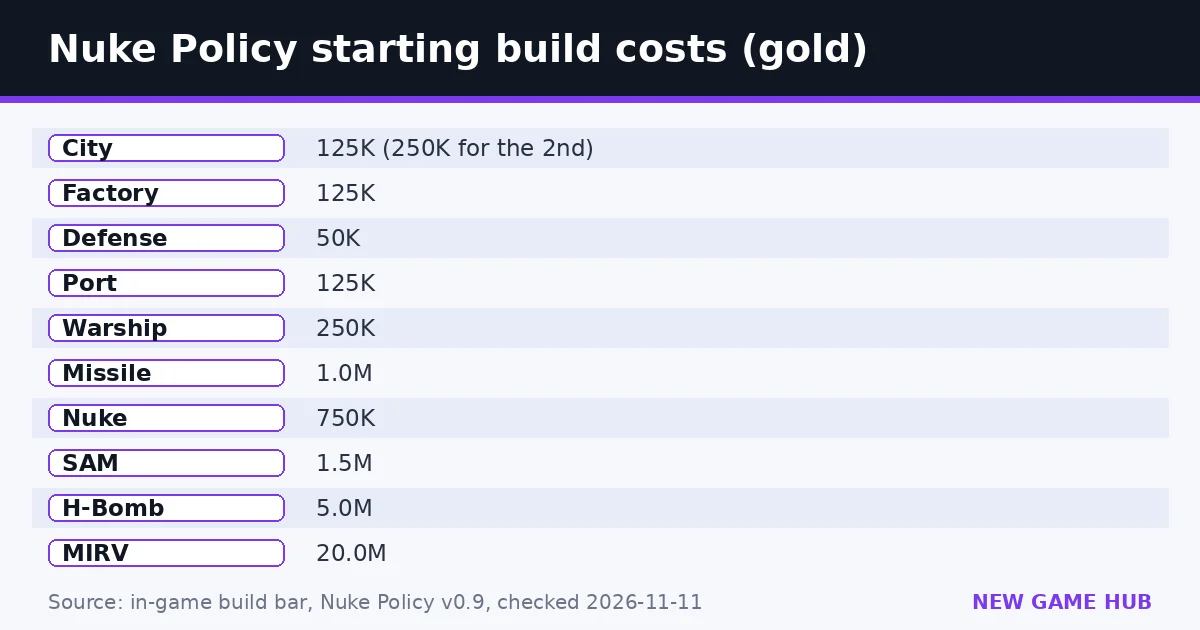
Gold arrives quickly at the start. In our tutorial game we had about 45,800 gold and +775 troops per second within seconds of placing our nation, so the first decisions come fast. These are the starting prices we saw on the build bar:
| Building | Cost (gold) | What it is for |
|---|---|---|
| City | 125K (rose to 250K after our first) | Raises your troop cap |
| Factory | 125K | Economy growth (official description) |
| Defense | 50K | Strengthens a border |
| Port | 125K | Sea travel to other land |
| Warship | 250K | Naval unit |
| Missile | 1.0M | Long-range strike |
| Nuke | 750K | Nuclear strike |
| SAM | 1.5M | Anti-missile defense |
| H-Bomb | 5.0M | Bigger nuclear strike |
| MIRV | 20.0M | The most expensive weapon |
Two things stood out in testing. First, costs climb as you build more of the same thing: our second city cost double the first. Second, cities matter more than they look. Building one city took our troop cap from 17,000 to 27,000 while our land share stayed at 1.3%. A larger cap means more troops banked for the next push, which is why the tutorial asks you to build a city before anything else.
Prices and effects can change between versions (the game is still at v0.9), so read the numbers on your own build bar.
Strategy: a winning opening and mid-game plan
Opening (first minute)
- Start next to empty land, away from bots. The tutorial tells you to click a green spot; pick one with room to grow rather than squeezing between rivals. Neutral land is the cheapest growth you will ever get.
- Expand into empty land first. Unclaimed land does not fight back. Take it before the bots do, and leave enemy borders for later.
- Keep the Attack Size moderate. Sending 100% of your troops leaves your borders empty. Around the default 35% you can launch several pushes in a row while troops regenerate.
A sensible build order
- One City as soon as you can afford it, to lift the troop cap.
- A Factory to grow income.
- Defense on the border that faces your strongest neighbor (it is the cheapest building).
- A Port only when your landmass is full and you need another shore.
Mid-game
- Watch Rankings. The leader is your real threat. Use right-click diplomacy to make deals with weaker neighbors so you can face the leader on one front instead of three.
- Fight one war at a time. Several half-hearted attacks win less ground than one committed push.
- Nukes are a tool, not a strategy. At 750K gold, a nuke costs as much as six early cities. Use it to break a large, defended enemy core when you are close to 85%, not to clear a small border.
- Expect retaliation. SAM sites exist because missiles exist. If a bot is rich, assume it can build them too.
Closing out
The game ends at 85%, not 100%. Once you pass about 70%, stop spending on luxury weapons and pour troops into the largest remaining bot. Mopping up tiny islands rarely matters.
Common beginner mistakes
- Attacking a big neighbor in the first seconds. You lose troops that would have captured several empty tiles.
- Setting Attack Size to maximum. Your own border is left with almost nothing to defend it.
- Skipping cities. Without them, your troop count hits the cap and growth is wasted.
- Saving up for a nuke too early. The gold does more as cities and factories in the first minutes.
- Ignoring diplomacy. Right click is a core control, not a hidden extra.
- Building ports with nowhere to go. A port only pays off when there is reachable land across water.
Nuke Policy codes and cheats
Last checked: 11 November 2026. Nuke Policy has no redeem codes. There is no code box in the game, and neither the Poki listing nor the game itself mentions codes. Ignore sites that offer "Nuke Policy cheat codes" or downloads.
The closest thing to a cheat is official: the skirmish menu's Infinite gold and Infinite troops toggles. Use them to test what an H-Bomb or a MIRV actually does before you spend a real match saving for one.
Nuke Policy vs similar games
| Game | Style | Opponents | Best if you want |
|---|---|---|---|
| Nuke Policy (Poki) | Real-time territory flood, buildings, nukes | Bots, team modes | Quick strategy matches with no lobby |
| Country Balls World War | Drag troops between provinces | AI countries | Simpler, tap-and-drag conquest |
| OpenFront.io | Real-time territory flood | Other players online | The multiplayer game whose art and maps Nuke Policy credits |
| Territorial.io | Pure territory expansion | Players and bots | Minimal economy, very fast rounds |
Nuke Policy sits between the two extremes. It has more building and weapon choices than Territorial.io, but because it uses bots you can pause, pick difficulty, and play a full match in a few minutes.
Platforms and system requirements
Nuke Policy runs in the browser on Poki — there is no download or app store version named on the official page. Poki lists desktop, phone and tablet support.
There are no published system requirements. We tested it in desktop Chrome without problems; Poki games generally target current versions of Chrome, Edge, Firefox and Safari. Big maps such as World have many borders to draw, so an older phone may run smoother on a continent map. Progress is stored in your browser, so clearing site data resets it.
The developer's privacy policy is linked from the Poki listing at nuke-policy.kachki.com/privacy.
FAQ
How do you win in Nuke Policy?
Control 85% of the map before anyone else. The game says so on its title screen, and the Land counter in the HUD shows your share next to the 85% target.
Is Nuke Policy multiplayer?
The Poki version is played against bots. You can choose free-for-all or 2, 4 or 8 teams, with Easy, Medium or Hard bots.
How much does a nuke cost?
In the v0.9 build we played, a Nuke cost 750K gold, an H-Bomb 5.0M and a MIRV 20.0M. Missiles cost 1.0M and SAM defenses 1.5M.
What do cities do in Nuke Policy?
Cities raise your troop cap. In our test, one city took the cap from 17,000 to 27,000. Each extra city costs more than the last.
How do I make allies?
Right-click another country to open a deal. Diplomacy is one of the three core mouse controls listed on the title screen.
Are there Nuke Policy codes?
No. As of 11 November 2026 the game has no code system. The skirmish menu offers official Infinite gold and Infinite troops toggles instead.
Can I play Nuke Policy on my phone?
Yes. Poki lists desktop, phone and tablet support, and you control it by tapping.
Who made Nuke Policy?
Kachki Productions, which also made TNT Sandbox on Poki. The game credits its art, fonts and maps to OpenFront and Contributors under the AGPL-3.0 license.
Related guides
 TNT Simulator guide
 God Mode City Destroyer guide
 Siegeward guide
 FROOGOO guide
 Country Balls World War guide
 Paint to Hide guide
- TNT Simulator guide — 21 contracts, medal thresholds, explosives, controls.
- God Mode City Destroyer guide — Every official control, the chaos score and the nuke.
- Siegeward guide — The official siege loop, controls, Heroes and the merge-tech tree.
- FROOGOO guide — Official story, objectives and controls for Poki’s abandoned-TV-studio horror game.
- Country Balls World War guide — Pick a country, drag your army onto your neighbors, and try to hold the whole globe — controls, tips and what to avoid.
- Paint to Hide guide — Paint yourself to match the scenery, lock in place, and outlast the hunters — controls and tips for both sides.
Sources: Poki — Nuke Policy (official listing) · In-game title screen, tutorial and skirmish menu (v0.9), checked 11 Nov 2026 · OpenFront (credited asset source)
Unofficial fan guide. Nuke Policy is developed by Kachki Productions and published on Poki. We are not affiliated with either. Numbers come from the v0.9 build we played and can change.